AmbientWeather 2902d to home assistant and influx
2025-03-16
I got an Ambientweather 2902-D weather station, and of course wanted to get its data into HomeAssistant (to drive outdoor lights, at least) and to Influx (so i could see historical data). This was surprisingly tricky, so here’s the easy steps.
Here’s the full chain of data;
station ----> console ----> ambient2mqtt |----> mosquitto ----> homeassistant
         RF           http               | mqtt            mqtt
                                         |
                                         |----> influx
                                          1.x
Set up MQTT and ambient2mqtt
You probably already run an mqtt broker, but mosquitto is a good choice, no real config.
There are a few projects to pipe the station’s data to HomeAssistant, after having tried a couple, I settled on ambient2mqtt. The original author seems to be an old northeastern man with questionable opinions, but this fork (that i made) has a few necessary fixes. Specifically, this sends data to HomeAssistant and tee’s to Influx 1.x, which is exactly what I needed.
Set up the station
After assembling the station, adding batteries, then plugging in the console, the console will expose a wifi AP for configuration. Before you continue, add 3xAAA batteries to the console – it seems to not have any non-volatile memory, so if it gets unplugged with no batteries, it completely loses its configuration (and wifi) and has to be set up again. Anyway, connect to its AP.
Ignore any advice about using awnet mobile app to configure the station, it was consistently unable to work for me (just saying "timed out" after any change). Instead, turn off your mobile data (so your phone is forced to use the AP), then go to 192.168.4.1. This is what more recent manuals suggest, and i’m glad they do, it works great. The default creds are just admin with no password. Once in, you’ll see the same set of connection parameters as awnet used to offer. Set up the "custom" reporter at the bottom of the page, put in your ambient2mqtt host/port info, and set the path to /data/report? – you need the ? to start the querystring params, it won’t detect it for you. I’d recommend 60s intervals, so you get minutely data for dashboards.
Hit save, wait for data to start flowing in the logs of ambient2mqtt.
Note that after the console connects to your network, you can get back to this admin interface again by just hitting it with any browser, you don’t need to fully reset it and use your phone anymore.
HomeAssistant
Since this is just a generic MQTT device, you might already have this set up. But if not, add the MQTT Integration. Remember, integrations can be added to HA in a docker container, but plugins bizarrely require you to run HomeAssistant on some kind of metal. It’s a tangent, but it’s probably worth reserving a pi/tinkerboard/whatever to be your homeassistant box.
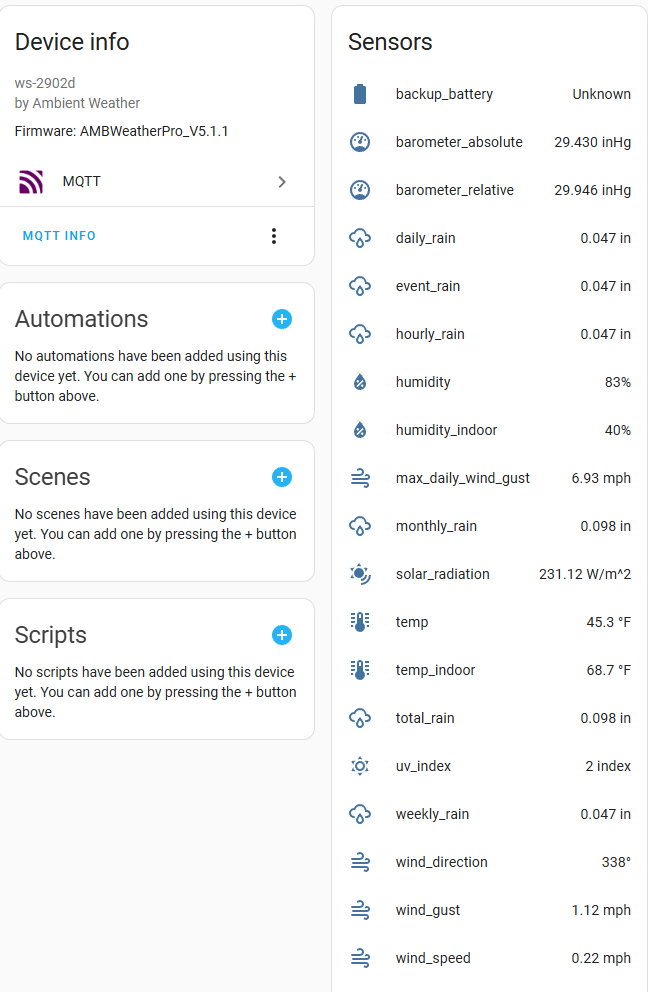
After adding the integration, after a few minutes it’ll pick up the weather station and show all the data nicely formatted. Should look like this;
Chronograf
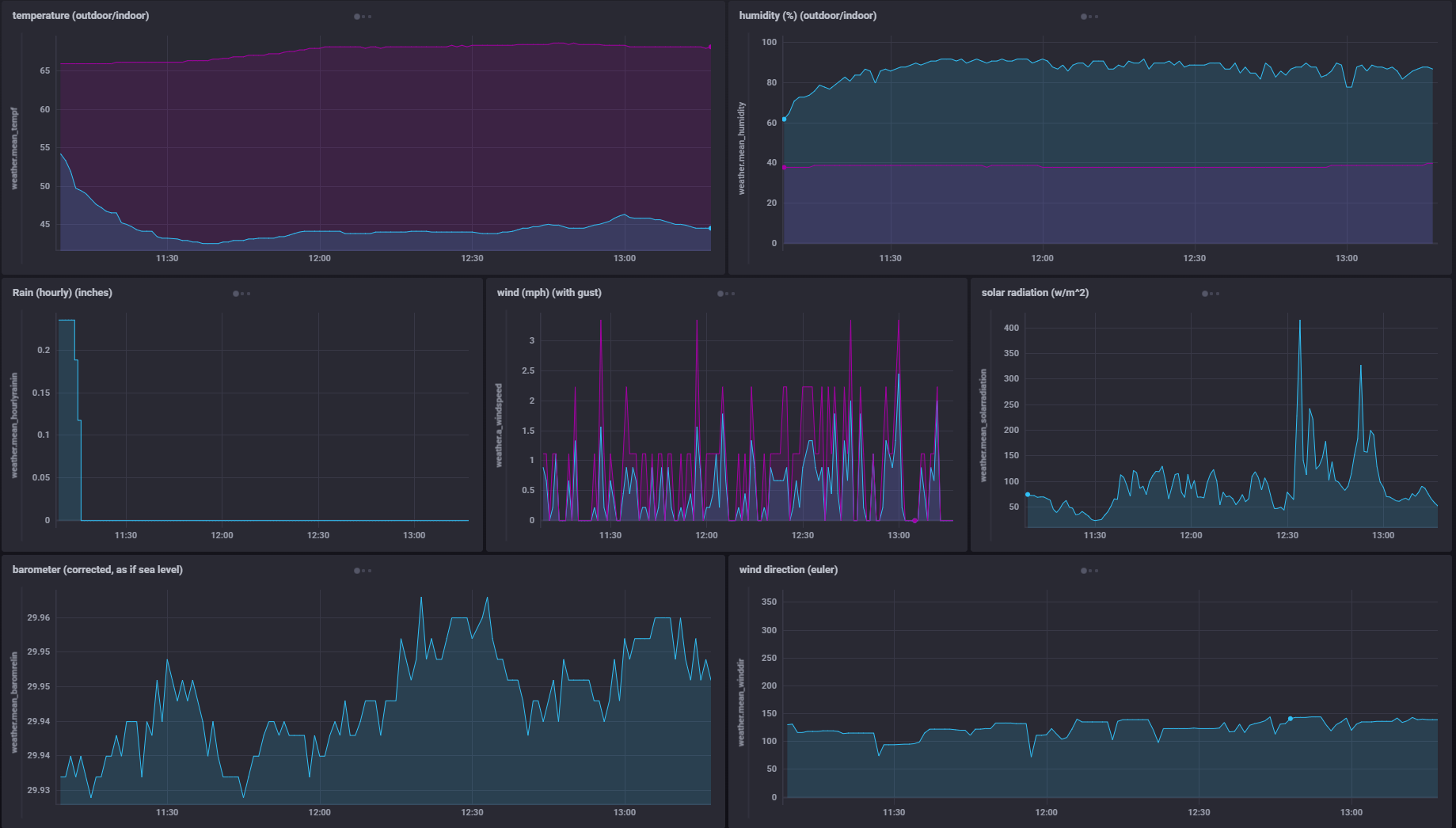
You might use grafana, I just have an old Chronograf, so here’s the sort of dashboards you can get out of this;